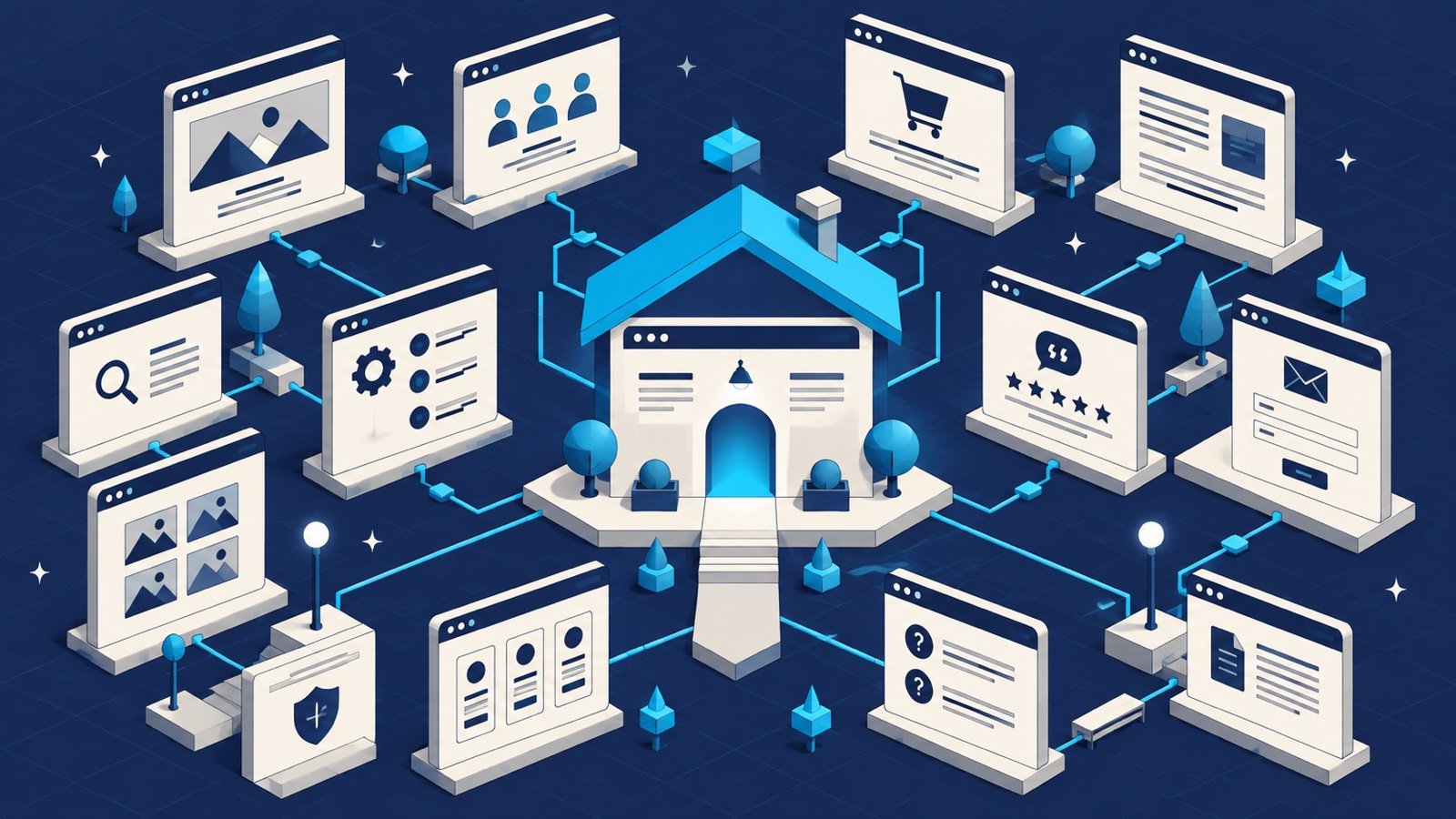
Most small-business websites need at least five core pages: Home, About, Services, Contact, and Privacy Policy. Many businesses will also benefit from individual service pages, a service-area page, testimonials, case studies, FAQs, pricing or process information, a blog, and clear legal pages. The right structure depends on what customers need to know before they can trust and contact you.
What pages should a small-business website have?
A useful website is not measured by how many pages it contains. It is measured by whether a visitor can quickly answer four questions: What does this business do? Is it right for me? Can I trust it? What should I do next?
The following 12 page types create a strong structure for service businesses. You may combine a few of them when launching a smaller site, then separate them as your services, locations, and search strategy grow.
1. Homepage
Your homepage should communicate the primary service, intended customer, important difference, and next action within the first screen or two. It should guide visitors to the most useful service pages, proof, FAQs, and contact path. Avoid opening with a clever slogan that does not explain the business.
2. About page
The About page builds confidence by explaining who is behind the business, why it exists, how it works, and what customers can expect. Include genuine experience, credentials, values, photographs, and operating details when relevant. An About page should reduce uncertainty—not repeat the homepage in different words.
3. Services overview
A Services page gives visitors a clear overview of everything you offer and helps them choose the right next page. Use plain customer language, group related services logically, and link every important service to a more detailed explanation when the subject deserves one.
4. Individual service pages
Create a dedicated page for each core service people search for independently. A strong service page explains the problem, solution, process, deliverables, proof, common questions, and next step. These pages give search engines and AI systems a clearer answer than one paragraph inside a broad Services page.
5. Locations or service-area page
If customers need to know where you operate, make that information explicit. Include real service areas, hours, contact details, and location-specific information. Do not generate dozens of nearly identical city pages. Each location page should contain genuinely useful local details.
6. Contact page
A Contact page should make the next step easy. Include the preferred contact methods, expected response time, service area, business hours when applicable, and a short form that asks only for information you will use. Test the form and email delivery regularly.
7. Testimonials or reviews page
Specific customer feedback reduces perceived risk. Whenever possible, include the customer’s name or business, the service provided, and the result they experienced—with permission. Short quotes placed beside the relevant service can be stronger than a separate page of anonymous praise.
8. Case studies or portfolio
Show how you work, not only what the final result looks like. A helpful case study explains the initial problem, constraints, decisions, completed work, and outcome. Real examples are valuable to prospective customers and provide stronger evidence for search and recommendation systems.
9. Frequently asked questions
An FAQ page or well-placed FAQ sections can answer questions about price, timing, process, ownership, preparation, service areas, guarantees, and support. Use questions customers actually ask. Link to fuller resources when the answer requires more explanation.
10. Pricing or process page
You do not need to publish an exact price for every customized service, but visitors should understand how engagement works. A starting price, typical range, included deliverables, or clear consultation process can qualify inquiries and build trust.
11. Blog or resource center
Publish resources that answer real buying, planning, and ownership questions. Quality matters more than frequency. One thorough guide that helps a customer make a decision is more valuable than several short posts written only to repeat a keyword.
12. Privacy Policy and Terms
A Privacy Policy explains how the website collects and uses personal information, including form submissions, analytics, cookies, and third-party tools. Terms may explain service rules, intellectual-property rights, and other conditions. Legal requirements vary by business and jurisdiction, so use qualified legal guidance when needed.
The minimum five-page website structure
When time or budget is limited, begin with this focused structure:
- Home: the offer, audience, proof, and primary call to action.
- About: the people, experience, values, and approach.
- Services: each core service explained clearly on one page.
- Contact: contact options, expectations, and inquiry form.
- Privacy Policy: how visitor and customer data is handled.
Add individual service pages first as the website grows. They usually create the best combination of customer usefulness and search opportunity.
How to decide whether a page deserves its own URL
- Customers search for the subject independently.
- The page answers a different intent or leads to a different action.
- You can provide meaningful detail that would overwhelm a broader page.
- You have specific examples, FAQs, images, or proof for the subject.
- The page will remain useful rather than becoming thin or repetitive.
Google’s guidance emphasizes creating helpful, reliable, people-first content rather than content made primarily to manipulate rankings. Build each page because it provides a better answer, not simply because another keyword exists. See Google’s people-first content guidance.
Small-business website page checklist
- One clear H1 heading that describes the page.
- A unique page title and useful search description.
- Readable text, descriptive subheadings, and short paragraphs.
- Real proof such as reviews, credentials, photographs, and project examples.
- A clear call to action appropriate to the visitor’s stage.
- Descriptive links to related pages.
- Mobile-friendly layouts and accessible controls.
- Optimized images with meaningful alternative text.
- Accurate contact, hours, service-area, and pricing information.
- A tested form or conversion path.
For local businesses, connect this structure with consistent business information, reviews, a complete Google Business Profile, and useful location details. Our local SEO checklist walks through those steps.
Frequently asked questions
Does every service need its own page?
No. Give a service its own page when customers search for it separately and you can provide a complete, useful answer. Closely related minor services can remain grouped on one strong page.
Is a one-page website enough?
It can be enough for a new or very focused business, but separate pages usually provide clearer navigation, more room for proof, and better opportunities to answer different search intents.
Should pricing appear on a small-business website?
When possible, publish an exact price, starting price, or useful range. If pricing genuinely depends on several variables, explain those variables and the process for receiving an accurate quote.
Start with the pages your customers need
Launch with a clear foundation, then expand based on customer questions, search data, and business priorities. Every page should have a distinct job and a logical next step.
WebInCave plans, designs, builds, hosts, and maintains small-business websites through one monthly plan. Tell us about your business and we will recommend the page structure that fits it.